Warning
tflive is not production ready. It is an MVP baseline intended for local development, evaluation, and continued hardening.
tflive turns Terraform and OpenTofu modules into infrastructure you can hand to a team. Register a module once, and anyone with access can stand up their own copy of it from a web UI — with their own variables, their own credentials, and a full history of every change.
Stacks. Everything a team has running, in one list.

Templates and runs. The templates a stack is built from, the plan and apply controls, and the input variables for this stack — on one screen.

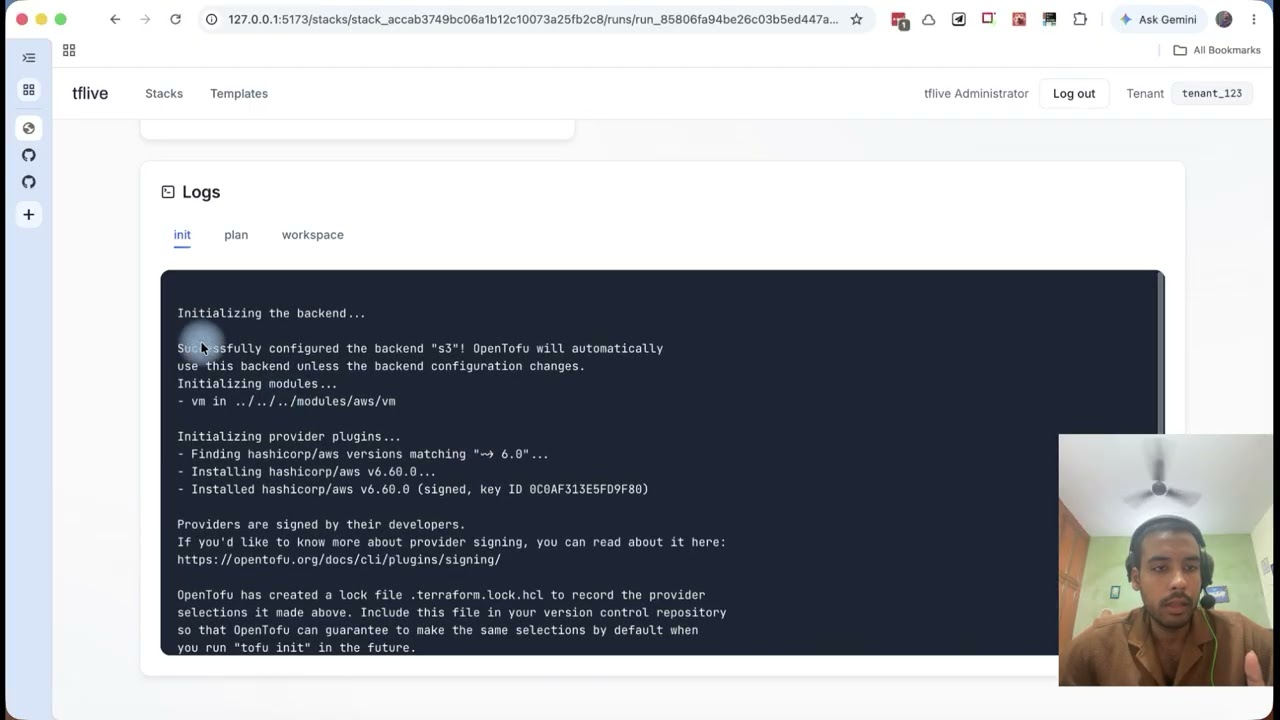
Runs and logs. Every run keeps its status, its timings, and the full
init, plan and workspace output.

Credentials. Cloud credentials are write-only and injected only while Terraform runs.

Access. Grant people a role on the stacks they need, not on everything.

History, and a way out. Past runs stay linked, and destroying is an explicit, guarded action.

- Register templates. Point tflive at a Git repository and a revision. That becomes a reusable template anyone on the platform can install.
- Compose stacks. A stack groups the templates that make up one environment or one service, each with its own configuration.
- Configure per stack. Set input variables and attach cloud credentials without editing anyone's Terraform.
- Plan, apply and destroy from the browser. Runs are durably orchestrated, so a plan or apply survives a restart rather than being lost halfway.
- Watch runs and read logs. Every run keeps its output and its history.
- Upgrade deliberately. When a template gets a new revision, upgrade a stack to it as an explicit, reviewable step instead of drifting silently.
- Control access per stack. Grant people access to the stacks they need, rather than to everything.
- Sign in with SSO. Authentication is standard OIDC, and the local stack ships an identity provider so there is nothing to wire up to try it.
Requires Docker. No Go or Node toolchain.
1. Start the infrastructure and provision it.
cp .env.example .env
docker compose up -d --wait
2. Copy the two OpenFGA identifiers into .env.
docker compose logs openfga-provisionIt prints exactly two assignments. Copy both into .env as text — do not
execute the output:
OPENFGA_STORE_ID=<store ID>
OPENFGA_MODEL_ID=<authorization model ID>
The application will not start without them. That is deliberate: the authorization store it runs against should be something you chose, not something a script picked.
3. Start the application.
docker compose -f docker-compose.yaml -f docker-compose.app.yaml up -dFirst run builds from source, so it takes a few minutes. Later runs are cached.
4. Open http://localhost:5173 and sign in with the platform administrator
credentials from .env.example.
Name both files, or the application keeps running:
docker compose -f docker-compose.yaml -f docker-compose.app.yaml downTo wipe everything and begin from a clean slate:
docker compose -f docker-compose.yaml -f docker-compose.app.yaml down -v
docker compose up -d --wait
Then repeat from step 2 — a new store means new identifiers.
docker compose --profile s3 up -d      # MinIO, for S3-backed artifacts
docker compose --profile debug up -d # Temporal UI on http://localhost:8080- Local development — running tflive from source
- Architecture and product model
- Authentication and authorization