
Last modified: 2026-07-14
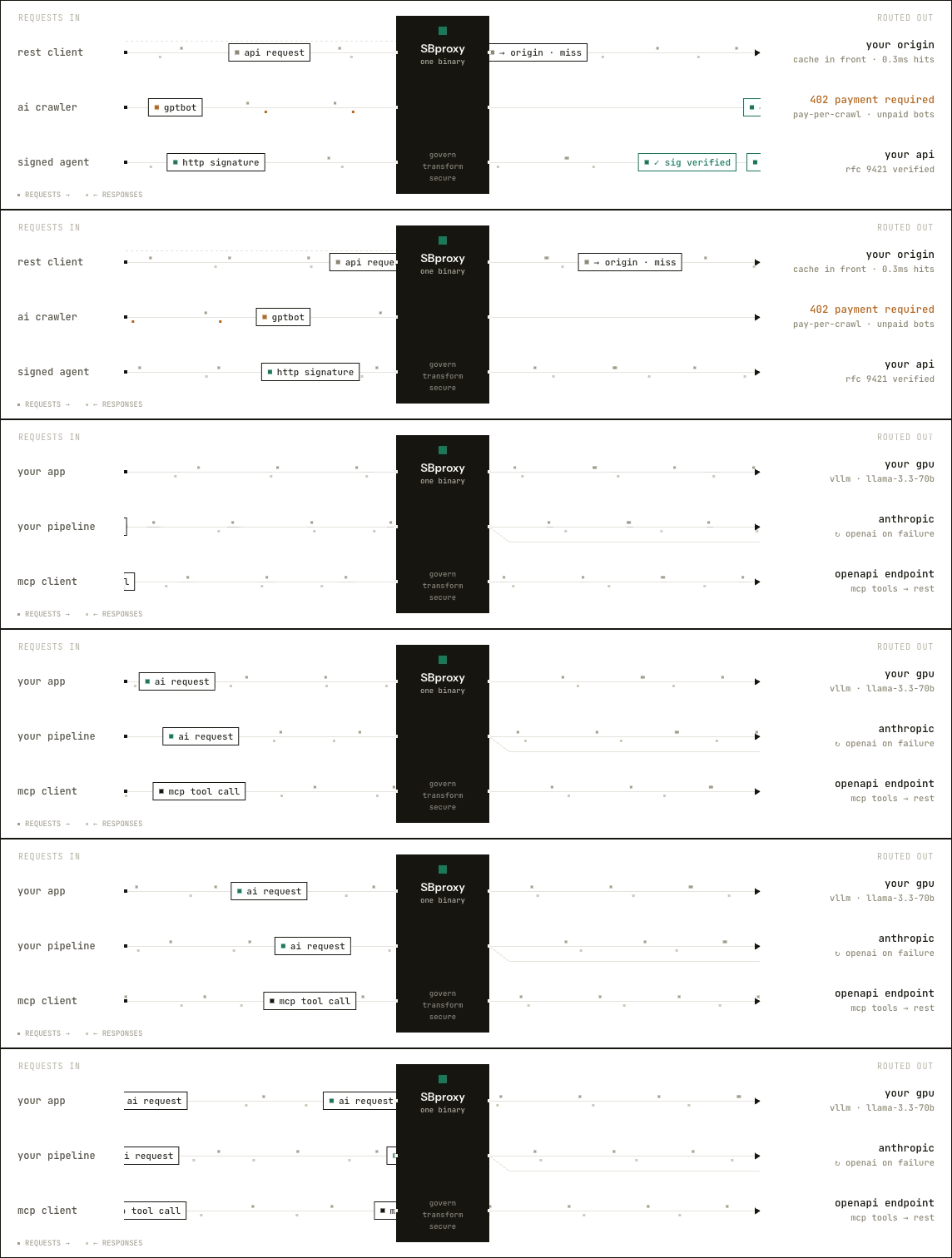
Route the AI you call: 200+ models across 66 providers plus open-weight models on your own GPUs, picked by prompt difficulty and rerouted on live cost-per-success. Gate the AI that calls you: verified agents, metered crawlers, and your APIs served over MCP. sbproxy.dev




Getting started · Serve your own model · Solve a problem · Examples · Docs · Website

Cloudflare's AI Gateway and Vercel's got a lot right: one endpoint in front of every model, caching, budgets, failover. SBproxy hands you the whole thing to run yourself, in your VPC or air-gapped, on your own keys at your providers' prices. It also does the two things a hosted edge can't: serve the weights on your own GPUs, and gate the AI traffic coming into your APIs. One Rust binary, Apache 2.0.
Call any model. 200+ models across 66 providers behind one endpoint that speaks the OpenAI and Anthropic wire formats. Sixteen routing strategies, predictive budgets, per-error retries, and a semantic cache that can run its embeddings on-box. Coming from LiteLLM? sbproxy config import-litellm converts your config.
Serve your own. The same binary runs the models: a serve: block resolves the weights, fits an engine and quantization to your card, and supervises vLLM or llama.cpp to a governed endpoint. Local models get the same keys, budgets, and failover as hosted ones, so open-weight vs hosted is a one-line swap.
Govern both. Virtual keys mint and revoke at runtime, guardrails screen prompts and completions and can redact a streaming response mid-flight, and every request can emit a signed usage receipt you can verify offline. Inbound, federate your MCP tools behind OAuth2, verify signed agents (RFC 9421), and meter AI crawlers with HTTP 402 Pay Per Crawl.
Underneath sits a real reverse proxy on Pingora: auth, automatic TLS, WAF, rate limiting, and hot reload with no dropped connections. 50,713 rps through the full policy chain at 0.6 ms p99. The admin console ships in the binary, and replicas cluster over a built-in gossip mesh with no Postgres and no external control plane. Cluster-wide budget and rate enforcement still uses a shared backend.
Weighing the options? See how SBproxy compares and the benchmark methodology.
curl (macOS / Linux):
curl -fsSL https://download.sbproxy.dev | shThe script detects your OS and architecture, fetches the matching release binary from GitHub, and drops it in ~/.local/bin. Override with SBPROXY_INSTALL=<dir> for a custom location or SBPROXY_VERSION=<tag> to pin a release.
Homebrew (macOS / Linux):
brew tap soapbucket/tap
brew install sbproxy
Docker:
docker pull soapbucket/sbproxy:latestFrom source (needs Rust 1.82+):
git clone https://github.com/soapbucket/sbproxy
cd sbproxy
make build-releaseWe host a public HTTP echo service at test.sbproxy.dev (request inspection, like httpbin) so you can wire up a real upstream without leaving the SoapBucket ecosystem. Try it directly:
curl https://test.sbproxy.dev/getNow run the gateway in front of it. Drop this into sb.yml:
proxy:
  http_bind_port: 8080

origins:
  "myapp.example.com":
    action:
      type: proxy
      url: https://test.sbproxy.dev
sbproxy sb.yml
curl -H "Host: myapp.example.com" http://127.0.0.1:8080/getmyapp.example.com is the host your client sees; SBproxy matches it against origins: and forwards to the upstream. Use any hostname you want here; example.com is reserved (RFC 2606), so it never collides with anything real.
That's a reverse proxy. Add AI routing, auth, and rate limiting in the same file. See examples/ for runnable end-to-end configurations covering each feature.
New to SBproxy? The Getting Started guide walks through installing, validating a config, running your first proxy, and where to go next in more depth.
This is the shortest path from a GPU to a governed OpenAI-compatible endpoint. Drop this into sb.yml:
proxy:
  http_bind_port: 8080

origins:
  "gateway.internal":
    action:
      type: ai_proxy
      providers:
        - name: local
          serve:
            models:
              - model: qwen3-14b
Check the box, then run:
sbproxy doctor            # what this host can serve: GPUs, engines on PATH, readiness verdict
sbproxy validate sb.yml   # fail fast on a bad config
sbproxy sb.yml
First token:
curl -s http://127.0.0.1:8080/v1/chat/completions \
  -H "Host: gateway.internal" -H "Content-Type: application/json" \
  -d '{"model":"qwen3-14b","messages":[{"role":"user","content":"Say hello from my GPU."}]}'
Every plane the gateway has (virtual keys, budgets, guardrails, the usage ledger) applies to that local model unchanged. The walkthroughs go deeper: serve an open-weight model on a cloud L4, point your coding assistant at your own GPU, local first with cloud spillover, and the self-hosting overview.
Each of these walks one problem end to end: a story doc, a runnable example, a docker compose up, and a recording of the outcome.
| Your problem | Walkthrough |
|---|---|
| API keys scattered across teams, no accounting | One endpoint for every provider, on your keys |
| You want your coding assistant on hardware you control | Point Claude Code at your own GPU |
| GCP credits and an afternoon | Serve Qwen, GLM, or Gemma on a cloud L4 |
| A GPU that has to pay for itself | Local first, spill to cloud |
| Weights and prompts that must never leave the network | Air-gapped and sovereign AI |
| A LiteLLM proxy you want off of | Migrate off LiteLLM in an afternoon |
| Shadow Ollama under someone's desk | Guardrails on every prompt, local or hosted |
| AI crawlers eating your content for free | Meter and monetize the AI that calls you |
| Internal MCP servers multiplying without an owner | Federate your MCP tools behind one gateway |
| It works on your laptop and on-call starts Monday | Run it in production |
Each clip is recorded against the release binary running a real example config. Regenerate them with scripts/record-tapes.sh.
Failover across providers: the primary is down, the backup answers, transparently. (config)

Semantic cache: a reworded prompt is served from cache (x-semcache: HIT), skipping the billable completion. (config)

Guardrails: prompt-injection and PII are blocked before any provider is called. (config)

Governed keys: mint a virtual key at runtime, then revoke it and watch the next request stop. No reload, no plaintext on disk. (config, cluster)
# Mint a key (the plaintext token is returned exactly once)
curl -s -u admin:admin -X POST http://127.0.0.1:9090/admin/keys \
  -d '{"name":"ci-runner","max_requests_per_minute":60}'

# Revoke it; the next request carrying it is denied on every replica
curl -s -u admin:admin -X POST http://127.0.0.1:9090/admin/keys/<key_id>/revokeThe full documentation lives in docs/README.md: manual, configuration reference, AI gateway guide, self-hosting, scripting reference, performance, troubleshooting, architecture, and more. The same guides are browsable at sbproxy.dev/docs. Running the operator for the first time? Start with docs/quickstart-operator.md.
For contributors: CONTRIBUTING.md.
- Issue Tracker for bug reports and feature requests.
- Looking for a managed offering? SBproxy Enterprise.
Licensed under the Apache License 2.0. Free for any use, including production and commercial, with no field-of-use restriction.
See also NOTICE and TRADEMARKS. A Soap Bucket LLC project.