A lightweight, zero-dependency JavaScript calendar component with internationalization support and framework wrappers for React, Vue, and Angular.


- Zero Dependencies - Pure vanilla JavaScript, no external libraries
- Four View Modes - Month, week, day, and list views with smooth transitions
- Picker Modes - Built-in date picker and date range picker modes for date selection
- Full Internationalization - Built on Intl.DateTimeFormat API for native locale support
- Framework Wrappers - Official React, Vue 3, and Angular components included
- Module System Support - Works as UMD (CommonJS, AMD, ES modules, or browser global)
- Dark Mode Ready - Automatic dark theme detection and support
- Async Event Loading - Fetch events dynamically with
async/awaitsupport - Drag & Drop - Move and resize events with mouse or touch
- Responsive Design - Adapts to any screen size
- Customizable Styling - CSS custom properties for easy theming
- Accessible - Semantic HTML with proper ARIA attributes
- Small Bundle Size - ~45KB minified JS + ~22KB CSS (~16KB total gzipped)
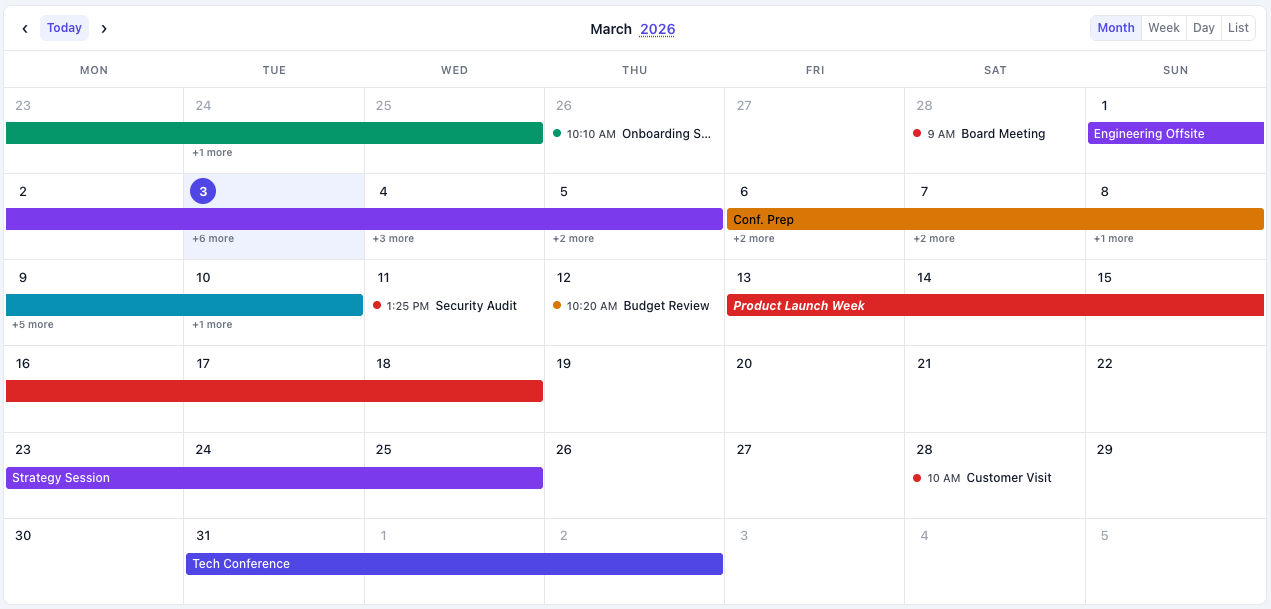
Month View |

Week View |
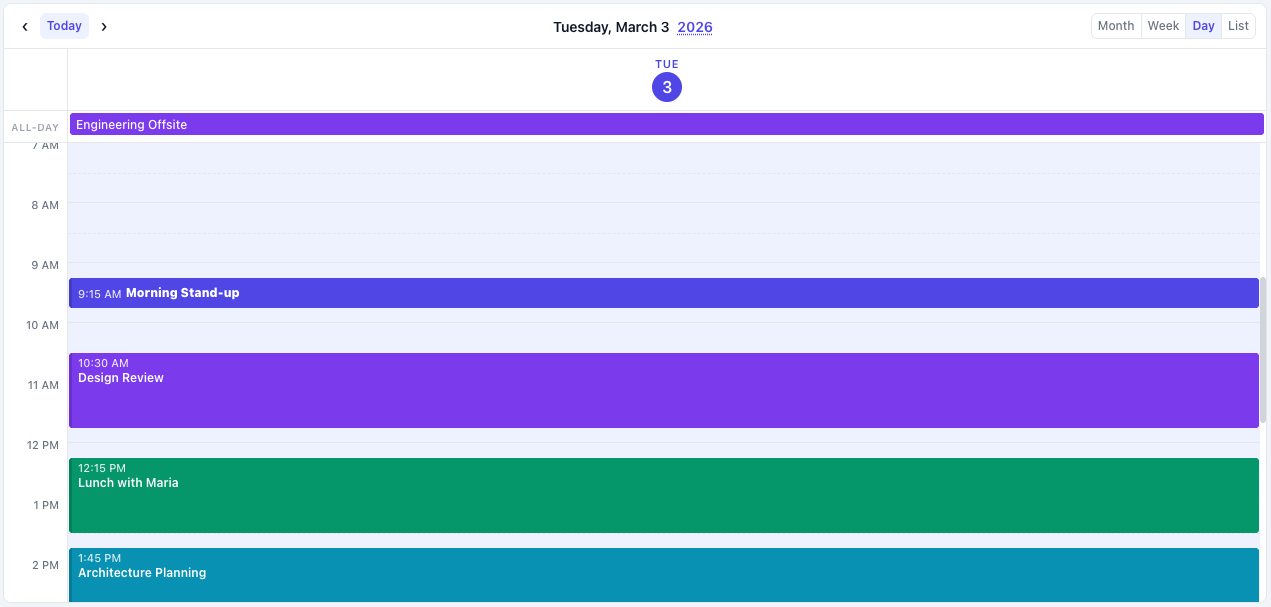
Day View |
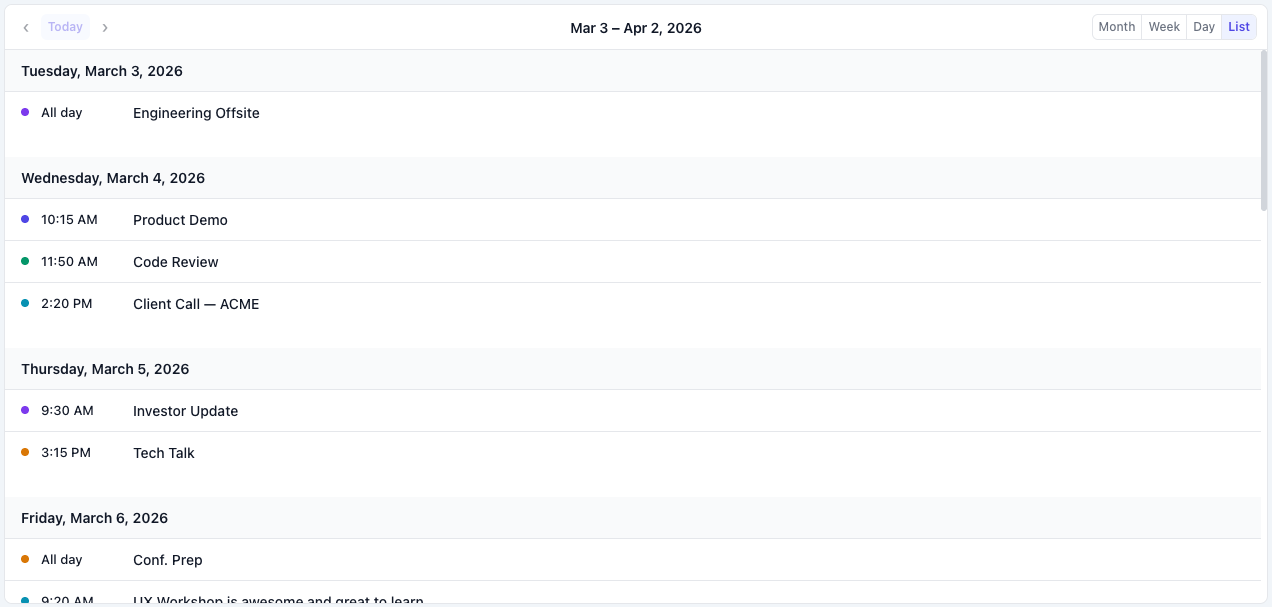
List View |
Drag & Drop Events |
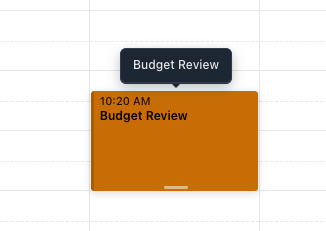
Resize Events |
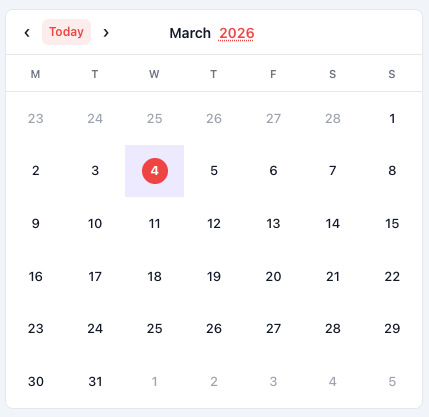
Date Picker Mode |

Range Picker Mode |
npm install simple-calendar-js<link rel="stylesheet" href="https://unpkg.com/simple-calendar-js/dist/simple-calendar-js.min.css">
<script src="https://unpkg.com/simple-calendar-js/dist/simple-calendar-js.min.js"></script>Download the files from the dist/ folder and include them in your project.
<!DOCTYPE html>
<html>
<head>
  <link rel="stylesheet" href="simple-calendar-js.css">
</head>
<body>
  <div id="calendar"></div>

  <script src="simple-calendar-js.js"></script>
  <script>
    const calendar = new SimpleCalendarJs('#calendar', {
      defaultView: 'month',
      locale: 'en-US',
      fetchEvents: async (startDate, endDate) => {
        // Fetch events from your API
        const response = await fetch(`/api/events?start=${startDate}&end=${endDate}`);
        return await response.json();
      },
      onEventClick: (event, mouseEvent) => {
        console.log('Event clicked:', event);
      }
    });
  </script>
</body>
</html>import SimpleCalendarJsReact from 'simple-calendar-js/frameworks/simple-calendar-js-react.jsx';
import 'simple-calendar-js/dist/simple-calendar-js.min.css';
function MyCalendar() {
const fetchEvents = async (startDate, endDate) => {
const res = await fetch(`/api/events?start=${startDate}&end=${endDate}`);
return await res.json();
};
return (
<SimpleCalendarJsReact
defaultView="month"
locale="en-US"
fetchEvents={fetchEvents}
onEventClick={(event) => console.log(event)}
style={{ height: '600px' }}
/>
);
}<template>
<SimpleCalendarJsVue
:defaultView="'month'"
:locale="'en-US'"
:fetchEvents="fetchEvents"
@eventClick="handleEventClick"
:style="{ height: '600px' }"
/>
</template>
<script>
import SimpleCalendarJsVue from 'simple-calendar-js/frameworks/simple-calendar-js-vue.js';
import 'simple-calendar-js/dist/simple-calendar-js.min.css';
export default {
components: { SimpleCalendarJsVue },
methods: {
async fetchEvents(startDate, endDate) {
const res = await fetch(`/api/events?start=${startDate}&end=${endDate}`);
return await res.json();
},
handleEventClick(event) {
console.log('Event clicked:', event);
}
}
}
</script>import { Component } from '@angular/core';
@Component({
selector: 'app-calendar',
template: `
<simple-calendar-js
[defaultView]="'month'"
[locale]="'en-US'"
[fetchEvents]="fetchEvents"
(eventClick)="handleEventClick($event)"
[style.height.px]="600"
></simple-calendar-js>
`
})
export class CalendarComponent {
async fetchEvents(startDate: Date, endDate: Date) {
const res = await fetch(`/api/events?start=${startDate}&end=${endDate}`);
return await res.json();
}
handleEventClick(event: any) {
console.log('Event clicked:', event);
}
}Here are some of the most commonly used configuration options:
const calendar = new SimpleCalendarJs('#calendar', {
  // View Settings
  defaultView: 'month',              // 'month', 'week', 'day', 'list'

  // Picker Modes
  mode: 'calendar',                  // 'calendar', 'date-picker', 'range-picker'

  // Internationalization
  locale: 'en-US',                   // Any valid locale (e.g., 'es-ES', 'fr-FR', 'ja-JP')
  firstDayOfWeek: 0,                 // 0 = Sunday, 1 = Monday

  // Events
  fetchEvents: async (start, end) => { /* ... */ },
  events: [],                        // Static events array

  // Interactions
  enableDragDrop: false,             // Enable drag & drop
  enableResize: false,               // Enable event resizing

  // Callbacks
  onEventClick: (event, mouseEvent) => {},
  onDateClick: (date, mouseEvent) => {},
  onEventDrop: (event, newStart, newEnd) => {},
  onEventResize: (event, newStart, newEnd) => {},
  onDateSelect: (date) => {},        // For date-picker mode
  onRangeSelect: (start, end) => {}, // For range-picker mode

  // Styling
  darkMode: 'auto',                  // 'auto', 'light', 'dark'
  enableHtmlInTitles: true,          // Allow HTML in event titles

  // Advanced
  timezone: 'local',                 // 'local', 'UTC', or IANA timezone
  monthViewTimedEventStyle: 'list',  // 'list' or 'block'
});// Navigation
calendar.goToDate(new Date());
calendar.next();
calendar.prev();
calendar.today();
// View Management
calendar.changeView('week');
calendar.getCurrentView();
// Events
calendar.addEvent(event);
calendar.updateEvent(eventId, updates);
calendar.deleteEvent(eventId);
calendar.refetchEvents();
// Picker Mode (date-picker/range-picker)
calendar.setSelectedDate(date);
calendar.getSelectedDate();
calendar.setSelectedRange(startDate, endDate);
calendar.getSelectedRange();
calendar.clearSelection();
// Cleanup
calendar.destroy();For complete documentation including:
- Detailed configuration options
- Event object format and timezone handling
- Drag & drop and resize features
- Tooltips and HTML content
- Theming and dark mode
- Internationalization examples
- Advanced usage patterns
Visit the full documentation at: https://www.simplecalendarjs.com/docs
- Chrome 60+
- Firefox 60+
- Safari 12+
- Edge 79+
Found a bug or have a feature request? Please open an issue on GitHub Issues.
When reporting bugs, please include:
- Steps to reproduce
- Expected vs actual behavior
- Browser and version
- Code snippets or examples
This project does not accept code contributions or pull requests. All development is handled by the maintainer to ensure code quality and licensing integrity.
However, you can help by:
- Reporting bugs via GitHub Issues
- Suggesting features
- Helping other users in discussions
- Sharing your implementation examples
See CONTRIBUTING.md for more details.
This project is available for personal, educational, and non-commercial use.
Commercial use requires a separate license. See LICENSE file for full terms.
For commercial licensing inquiries: [email protected] or visit www.simplecalendarjs.com