
English · 简体中文
Press your shortcut, speak with a live centered preview, then press it again to write.
Apple Speech works immediately; optional local or BYOK AI adds refinement and personalization.
Download for macOS · Website · Changelog
Apple silicon · macOS 26+ · No account · No subscription
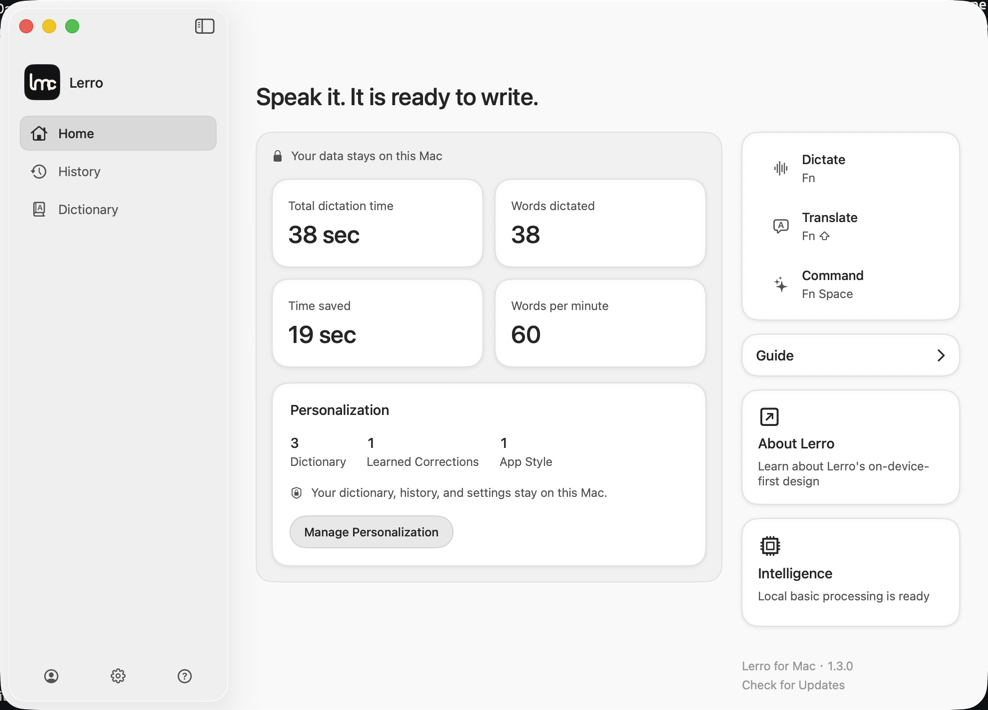
- Press your configured shortcut.
- Speak while the centered HUD previews the live transcript.
- Press the same shortcut again.
- Lerro writes to the captured field and the HUD disappears.
The HUD grows smoothly from a compact waveform capsule to a two-line transcript. If focus or the target field changes before delivery, Lerro stops the write, keeps the final text on the clipboard, and offers Copy again.
| Capability | Runtime |
|---|---|
| Transcription | Apple Speech on your Mac |
| Dictionary-aware recognition | Apple Speech with up to 100 relevant terms |
| Refinement and translation | Optional local MLX model or your API |
| Automatic correction learning | Optional local MLX model or your API |
| Per-app tone | Optional local MLX model or your API |
Quick Dictate is an optional setting. It ends a recording after about 1.2 seconds of continuous silence and starts disabled.
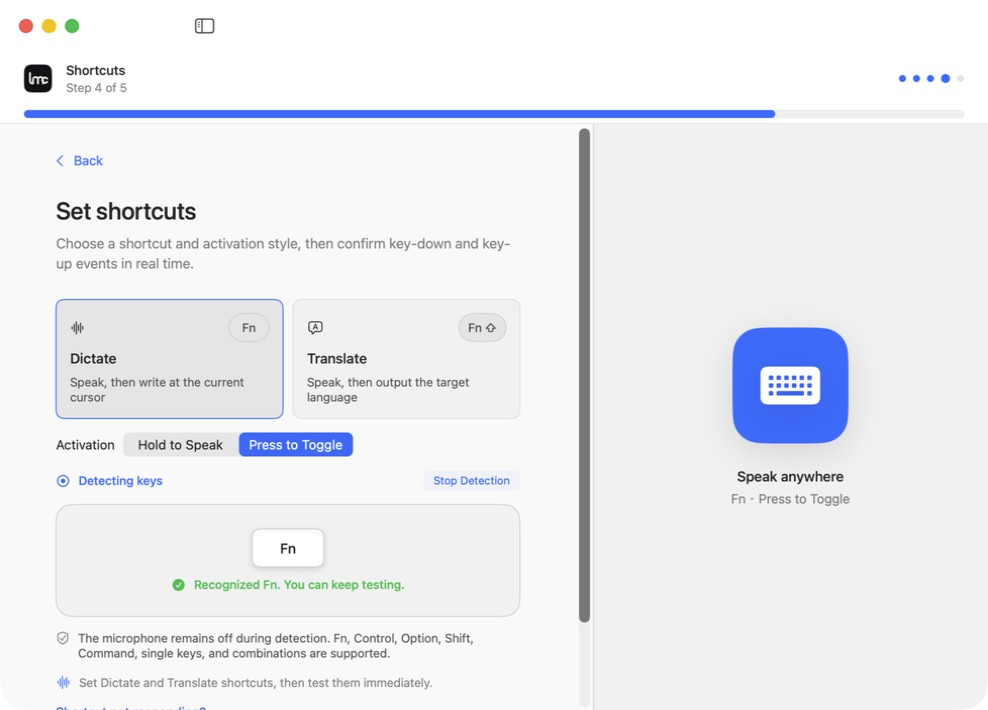
After AI-processed Dictate writes text, Lerro can observe edits to that exact field for up to 60 seconds. A stable edit is reduced to the smallest changed span and classified by the selected local or remote AI. Names, brands, technical terms, spelling, homophones, transliterations, and mixed-language proper nouns can become app-scoped dictionary entries. Semantic changes and large rewrites are ignored.
The same dictionary supports Apple Speech recognition, local and remote AI prompts, manual editing, CSV import, app filtering, and promotion to global scope. Learned entries show a lightweight undoable notification.
Home, History, Dictionary, and Personalization are first-level destinations. Personalization presents installed and running apps in a searchable grid with real app icons. Each app can have an AI tone instruction and a real preview before saving.
- Raw Dictate uses Apple Speech. Audio saving starts off.
- History can be disabled; “never save” prevents new history and recordings.
- Lerro has no account, analytics, advertising SDK, or transcript service.
- Local AI downloads only after explicit consent and runs on the Mac.
- BYOK traffic goes directly to the provider and endpoint you configure.
- Automatic correction learning ends quietly when AI, Accessibility, the target field, or the observation window is unavailable.
Read the exact data, permission, clipboard, update, and provider boundaries in the Privacy Policy.
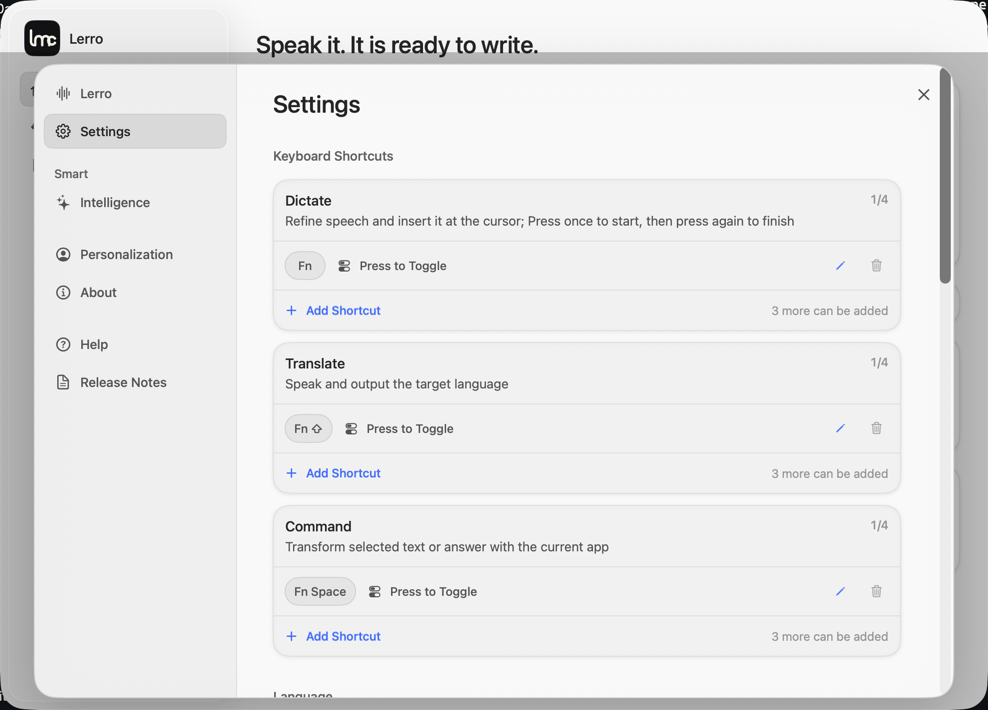
Onboarding walks through privacy choices, Apple Speech resources and microphone testing, AI selection, shortcut recording, a real Dictate insertion, clipboard recovery, correction learning, and per-app tone. Apple-only users finish after the recovery exercise. A local-model download can continue in the background and supports pause, resume, stop, and restart continuation.
- Download the latest signed and Apple-notarized build.
- Move Lerro.app to Applications.
- Complete the guided Microphone, Accessibility, shortcut, and Dictate tasks.
- Add local or BYOK AI when you want refinement, translation, automatic learning, and per-app tone.
Requirements: Apple silicon and macOS 26 or later. The default optional local model needs about 3.03 GB of storage.
Lerro is open source under Apache-2.0.
- Architecture
- Core flow
- Models and BYOK
- Privacy and security
- Build and testing
- Contextual benchmark
- Contributing
See TRADEMARKS.md, NOTICE, and THIRD_PARTY_NOTICES.md for brand and third-party notices. First-party documentation and screenshots use CC BY 4.0.