Put custom graphics on your SteelSeries Arctis Nova Pro Base Station 128x64 OLED screen.
This utility implements the USB protocol, so you don't need SteelSeries GG/Engine Apps/GameSense, and it works on linux.
There is also a desktop application available for Windows, Linux, and MacOS that shows the current time and currently playing media, along with some other features.
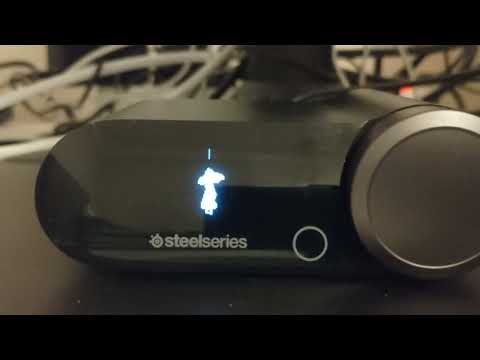
Bad Apple at 60 fps. This also showcases the burn-in you will get if not careful with OLEDs. The flickering is due to bad camera settings and not actually shown on the display.
| Device | Supported |
|---|---|
| SteelSeries Arctis Nova Pro Wired | ✅ |
| SteelSeries Arctis Nova Pro Wired (Xbox) | ✅ |
| SteelSeries Arctis Nova Pro Wireless | ✅ |
| SteelSeries Arctis Nova Pro Wireless (Xbox) | ✅ |
| SteelSeries Arctis Pro Wired | 🧐 #12 |
| SteelSeries Arctis Pro Wireless | 🧐 #12 |
| SteelSeries Arctis Nova Elite | 🧐 #26 |
PRs and issues for similar devices are welcome!
Pre-built binaries for released versions are available as GitHub Releases. There are also GitHub Actions for developer builds.
- Download:
ggoled_app.exefor the app.ggoled.exefor the CLI.
- Run
ggoled_app.exe.
- Download
ggoled-x86_64.flatpak. - Install:
flatpak install ggoled-x86_64.flatpak - Install the udev rules so the device is accessible without root:
- Copy
11-steelseries-arctis-nova.rulesinto/etc/udev/rules.d/ - Run
sudo udevadm control --reload && sudo udevadm trigger.
- Copy
- Launch via your application menu or via
flatpak run se.ramse.ggoled.
The CLI is also available: flatpak run --command=ggoled se.ramse.ggoled text Hello!.
- Install the Rust toolchain.
- Build directly from git, either:
- A: Using installed SDL3:
cargo install --locked --git https://github.com/JerwuQu/ggoled.git ggoled ggoled_app - B: Building SDL3 from source:
cargo install --locked --git https://github.com/JerwuQu/ggoled.git --features sdl3-static ggoled ggoled_app - C: CLI only:
cargo install --locked --git https://github.com/JerwuQu/ggoled.git ggoled
- A: Using installed SDL3:
- (Linux only) Install the udev rules as described in the flatpak section above to run without root.
- (Linux only, optional) Install the systemd service: see below.
See ggoled --help for all commands and flags.
ggoled brightness 1: set the brightness to low.ggoled text "Hello, World!": draw some text onto the display.ggoled img cool_image.png: draw an image onto the display.ggoled anim -r 10 -l 20 frame1.png frame2.png frame3.png: play an animation at 10 fps, looped 20 times.ggoled anim animation.gif: play a gif animation.
You also can play video animations by first extracting frames with ffmpeg:
ffmpeg -i YOURVIDEO.mp4 -r 20 -vf "scale=w=128:h=64:force_original_aspect_ratio=1" frames/%05d.png
ggoled anim -r 20 frames/*  # bash
ggoled anim -r 20 $(Get-ChildItem frames | % { $_.FullName }) # powershellThe application puts itself as an icon in the system tray that you can right-click to configure.
For Windows, it gets media information from the Windows API which makes it work with almost all applications (with some limitations).
There are also features to avoid OLED burn-in that is otherwise unavoidable when using the official software, such as the screensaver function which will turn off the OLED display when away from the computer, or the OLED shifter which will infrequently move things around slightly. To extend the lifespan of your display, both of these are strongly recommended to use, along with using a low screen brightness.
mkdir -p ~/.config/systemd/user/
cp ggoled_app.service ~/.config/systemd/user/
systemctl --user daemon-reload
systemctl --user enable --now ggoled_app.serviceIt's recommended to use bitmap fonts to avoid weird artifacting, but any TTF or OTF font should work.
Modify the config file (%appdata%\ggoled_app.toml on Windows, ~/.config/ggoled_app.toml on Linux) and add:
[font]
path = 'C:\Path\To\Font.ttf'
size = 16.0
Then restart the application.

![@dependabot[bot]](https://avatars.githubusercontent.com/in/29110?s=64&v=4)