Android viewer for .rnote files (from the open-source application
Rnote).
⚠️ Disclaimer
This is a very basic and experimental project. It is unstable, incomplete, and was developed primarily for personal use.
It may not work correctly in many cases.
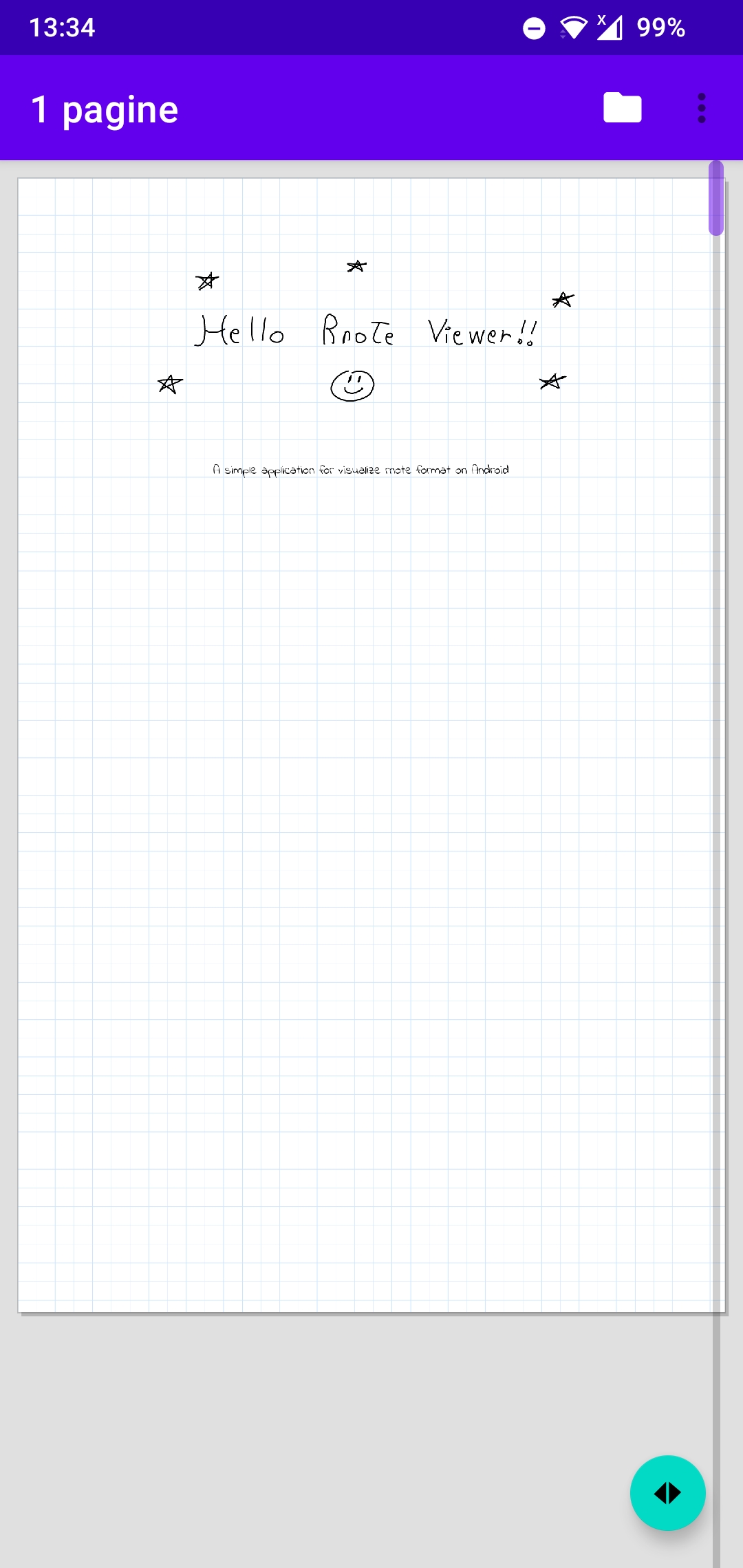
- Open
.rnotefiles- From file manager
- From toolbar
- Via Android system intents
- Pan and pinch-to-zoom
- Smooth navigation with double tap to reset to page width
- All drawing elements supported
- Pen strokes
- Geometric shapes
- Keyboard text
- Bitmap images
- Backgrounds
- Grid
- Ruled
- Dots
- Blank
- Highlighter
- Rendered as a 40% opacity layer
- Multi-page documents
- Optimized for documents with hundreds of pages
- Fast navigation
- Vertical scrollbar
- Page indicator
- "Go to page" dialog
- Custom fonts
- Install
.ttf/.otfvia system file picker
- Install
The vertical bar on the right side allows fast scrolling by dragging.
A page indicator appears for 1.5 seconds showing:
current page / total pages
The floating action button (FAB) opens a numeric dialog to jump directly to a specific page.
The Manage fonts... option in the toolbar opens a dialog listing installed fonts.
- Tap + Add font to select a
.ttfor.otffile - The app reads font family and style from the OpenType Name Table
- Fonts are indexed by name (e.g.
"Indie Flower") - Stored in internal storage:
filesDir/fonts/ - Persist across sessions
.rnote files are gzip archives containing JSON.
The parser uses: - GZIPInputStream - JsonReader (Gson streaming API)
No full JSON string is ever loaded into memory.
Parsing produces a list of CanvasElement (sealed hierarchy), ordered
using chrono_components.
All elements are indexed using an R-tree built with the STR algorithm.
- Query:
rtree.query(minX, minY, maxX, maxY) - Complexity: O(log n + k)
- Only visible elements are processed
The canvas is split into horizontal bands of 512 document units.
- Rendered off-screen via coroutines (
Dispatchers.IO) - Stored in an LruCache (48 MB limit)
- Rendering scale capped at 1536 px width to avoid oversized tiles
Only visible tiles are drawn; adjacent tiles are preloaded (±1 look-ahead).
Tile cache invalidation happens only after pinch-to-zoom ends, with a 150 ms debounce.
During zoom: - The document is scaled via matrix - No re-rendering occurs
Tiles are regenerated only once after the gesture ends.
app/src/main/java/com/example/rnoteviewer/
├── RnoteDocument.kt        — CanvasElement data models
├── RnoteParser.kt          — Streaming gzip + JSON parser
├── RTree.kt                — Spatial R-tree (STR bulk-load)
├── TileCache.kt            — LRU tile cache + rendering
├── RnoteView.kt            — Custom View (pan, zoom, rendering, navigation)
├── DocumentViewModel.kt    — Async loading (coroutines + ViewModel)
├── MainActivity.kt         — Activity, file picker, UI controls
├── FontManager.kt          — Font loading (TTF/OTF, OpenType parsing)
└── FontsDialogFragment.kt  — Font management dialog
JSON Type Kotlin Class Notes
brushstroke StrokeElement Pressure,
color,
thickness
textstroke TextElement Position
via affine
transform
bitmapimage BitmapElement Position /
scale /
rotation
shapestroke → line LineShape
shapestroke → arrow ArrowShape
shapestroke → rect RectShape
shapestroke → ellipse EllipseShape
shapestroke → quadbez QuadBezShape
shapestroke → cubbez CubBezShape
shapestroke → polygon PolygonShape
JSON Field Meaning
document.config.format Page size, DPI
document.config.background Background style
document.height Total canvas height
stroke_components[].brushstroke.path Stroke points
stroke_components[].textstroke.transform.affine Position matrix
stroke_components[].textstroke.text_style Font info
stroke_components[].bitmapimage.rectangle Transform
stroke_components[].bitmapimage.image Raw pixel data
stroke_components[].shapestroke.shape Geometry
chrono_components[].t Drawing order
- Tested only with Rnote version 0.13.1
- Designed specifically for:
- Vertical continuous layout
- White or grid backgrounds
Other formats or versions may not work correctly.
- Very basic implementation
- Likely contains bugs and incomplete features
- Many things may not work as expected
- Built primarily for personal notes
This app was designed specifically for my own notes, so behavior with other files may vary.
I do not have strong Android development expertise, and this project is:
- ❌ Not actively maintained\
- ❌ Not guaranteed to be updated
If you find this project useful:
- Feel free to fork it
- Improve it
- Adapt it to your needs
Contributions are welcome, but there is no guarantee of review or updates.
This is not a full-featured viewer.
It is simply a basic way to visualize .rnote files on Android when
no official solution is available.