

FacePause uses the experimental native FaceDetector API. Its availability depends on the browser and operating system; enabling a flag does not guarantee support. Unsupported detection stops the webcam and displays a message. See Chrome’s Shape Detection API documentation.
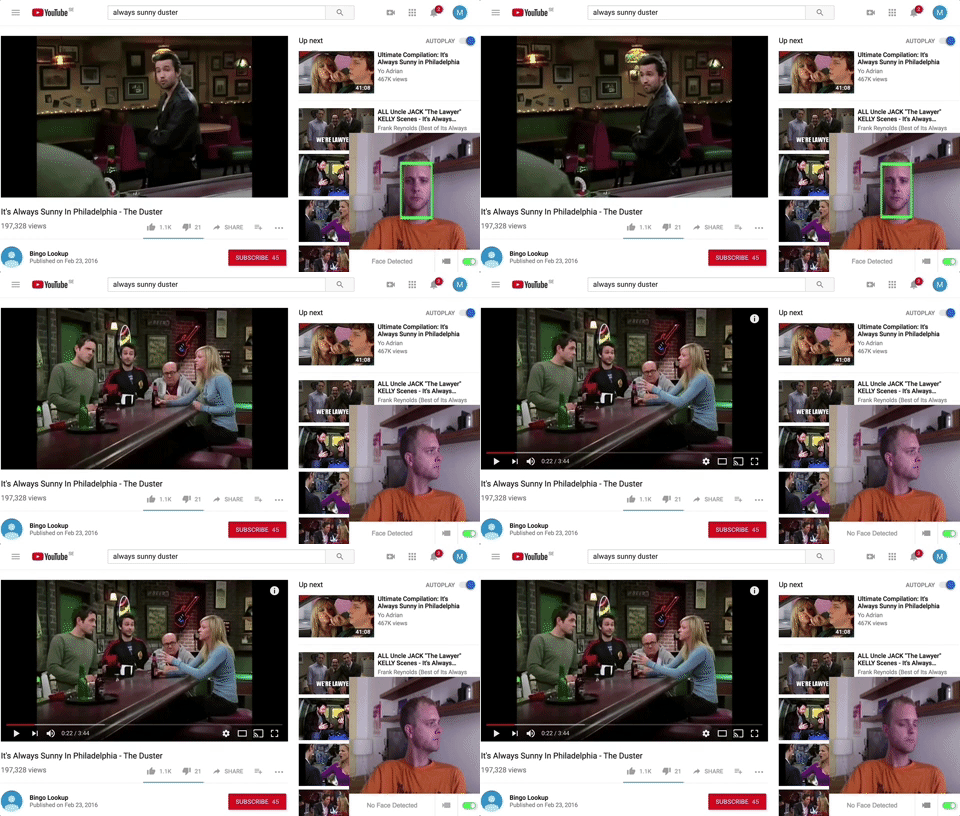
Build from source using the instructions below, then load build/chrome as an unpacked extension. The historical 0.1 release uses Manifest V2 and does not include these changes.
-
🙀 I don’t trust my webcam and I have it covered, see this more as an experiment of Chromes new technology, than a product you'd use every day.
-
🏴 To get the extension to work you’ll need to enable Chrome Experimental Features here:
chrome://flags#enable-experimental-web-platform-features -
💡If you’re in a dark setting it will probably be a bit buggy, as FaceDetector API is still not great in bad light.
- Clone the repository
git clone https://github.com/Hemmingsson/FacePause - Use Node.js 22 or later and run
npm ci - Run
npm run build
- Open Chrome browser and navigate to chrome://extensions
- Select "Developer Mode" and then click "Load unpacked extension..."
- From the file browser, choose to
FacePause/build/chrome
The following task can be used when you want to start developing the extension
npm run chrome-watch

npm run build creates Chrome Manifest V3 and Firefox Manifest V2 builds. Run npm test after building to check bundled assets and webcam failure handling. npm run dist creates ZIP files in dist/.