Safely reclaim disk quota from caches and build artifacts on shared HPC and GPU clusters — unprivileged day-to-day cleanup, conservative cleanup, reversible staging by default.
For ML researchers on login nodes, drowning in pip, conda, HuggingFace, and compile caches.


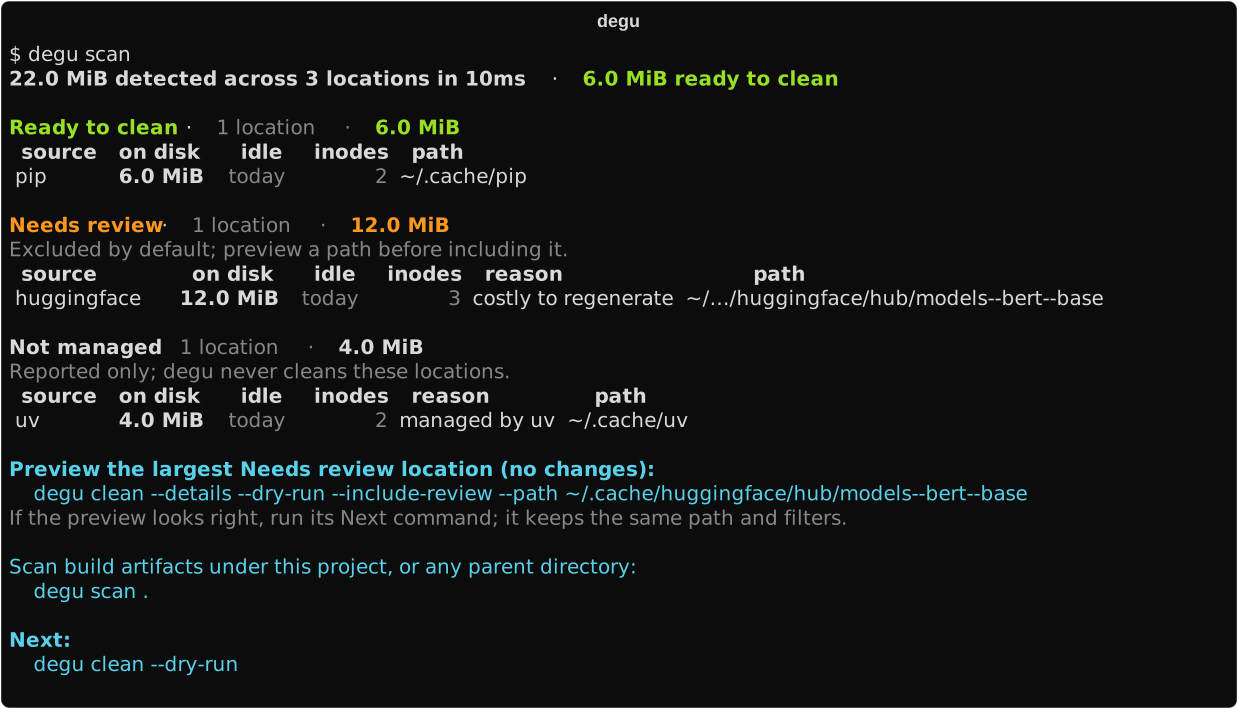
Real output from a small demo tree; on a working ML node, model and package caches routinely reach tens of gigabytes.
Important
This README documents degu v0.1.5, including account readiness, sealed staging, and reclaim uv. Install it with the command below or cargo install degu --locked. If degu --version reports a different version, read the documentation tagged for that version.
The same scan, redirected — copy-pasteable and pinned byte-exact by a contract test
$ degu scan
22.0 MiB detected across 3 locations - 6.0 MiB ready to clean

Ready to clean - 1 location - 6.0 MiB
 source  on disk   idle  inodes  path
 pip     6.0 MiB  today       2  ~/.cache/pip

Needs review - 1 location - 12.0 MiB
Excluded by default; preview a path before including it.
 source        on disk   idle  inodes  reason                path
 huggingface  12.0 MiB  today       3  costly to regenerate  ~/.cache/huggingface/hub/models--bert--base

Not managed - 1 location - 4.0 MiB
Reported only; degu never cleans these locations.
 source  on disk   idle  inodes  reason         path
 uv      4.0 MiB  today       2  managed by uv  ~/.cache/uv

Preview the largest Needs review location (no changes): degu clean -dn --review ~/.cache/huggingface/hub/models--bert--base
Run this preview in a terminal to receive a Next command with the same path and filters.
Scan build artifacts under this project, or any parent directory: degu scan .- Reclaims what actually fills your quota. Built-in sources across the ML/HPC stack — pip, conda, HuggingFace, vLLM, Triton, cargo, and more (
degu adapterslists them all) — plus build artifacts under any project tree, found in a single read-only pass; two node-runtime diagnostics stay scan-time opt-in. - Safe by default. Only verified, cheap-to-regenerate findings enter the default plan and are staged for undo.
- Honest accounting.
degu quotareads authoritative filesystem usage and limits, kept separate from degu-detected storage. - Linux and macOS, offline, unprivileged daily use. Scan, preview, and day-to-day cleanup never self-elevate.
degu doctorchecks one-time account setup;missinghas a defined administrator provisioning path, while unsafe or uncertain state requires investigation.
Deleting the wrong files is the core risk, so degu earns every deletion:
- Corroboration, not names. A directory becomes eligible only on structural evidence that it is regenerable — a tool's own cache marker, a build manifest — never because it is named
cache,target, or__pycache__. Among locations degu discovers, anything it cannot corroborate is reported, never cleaned; degu is not a whole-disk file finder. - Three tiers, conservative by default. Ready to clean is cheap-to-regenerate cache. Needs review is regenerable but costly (model downloads, compile caches) and stays excluded until you preview an exact path. Not managed — your data, tool-coordinated caches, checkpoints — can never enter a plan.
- Fail closed. If any selected location cannot be fully measured or classified, degu refuses the whole plan instead of guessing. Default cleanup is staged for undo; permanent purge is separately disclosed and confirmed.
| degu | native cleaners (conda clean, pip cache purge, …) |
kondo | ncdu / dust | |
|---|---|---|---|---|
| Scope | ML/HPC cache sources + project artifacts, one pass | one tool each | project artifacts | whole-disk usage |
| Evidence before deleting | structural corroboration | n/a (the owning tool) | name and layout match | none — measures only |
| Undo | staged trash, degu undo |
deletes in place | deletes in place | deletion is manual |
| Cross-tool view | yes | no | no | sizes only |
For datasets, checkpoints, and unknown large files, pair degu with a disk-usage viewer.
Install the latest release (static binaries; Linux x86_64/aarch64 and macOS):
installer=$(mktemp "${TMPDIR:-/tmp}/degu-install.XXXXXX") &&
curl -fsSLo "$installer" "https://github.com/FeathBow/degu/releases/latest/download/degu-install.sh" &&
DEGU_VERSION= sh "$installer" &&
rm -f "$installer"
The downloaded installer is an attested release asset that carries its release version and verifies the archive's SHA-256 checksum before installing; the empty DEGU_VERSION keeps a value exported in your environment from overriding that pinned release.
Or through cargo — cargo binstall degu fetches the same release archives without compiling and fails rather than falling back to a third-party or source build, cargo install degu --locked builds from crates.io.
Alternatively, build from source with Git and the current stable Rust toolchain:
git clone https://github.com/FeathBow/degu.git
cd degu
cargo install --path crates/degu --locked --root "$HOME/.local"
export PATH="$HOME/.local/bin:$PATH"
Both degu and its short alias, dg, install into ~/.local/bin by default. DEGU_INSTALL_DIR may select another binary destination when the caller already has permission. A source build installs degu at the checked-out commit. Its installer and account-setup contract are documented in the installation guide.
Check setup once before the first mutation:
degu doctorready means continue. If it reports missing, give its path and your numeric UID (id -u) to your administrator; the user command never creates system authority. Unsafe or uncertain state requires investigation, not automatic repair.
After setup, the daily lifecycle remains five short commands:
degu scan            # read-only: what exists, what is safe to clean
degu clean -n        # preview the exact plan; changes nothing
degu clean           # stage Ready-to-clean findings into undoable trash
degu undo            # restore the latest clean operation
degu trash purge     # or permanently delete what you reviewed
Only Ready to clean enters the default plan. For one Needs review location, the scan prints a shorter degu clean -dn --review PATH preview; the resulting Next command keeps the same exact selection.
Staged data stays reversible and still counts against quota until purged; choose one recovery branch per clean operation. A confirmed mutating clean also permanently purges trash entries at least seven days old. On very large shared filesystems a full first scan can take minutes:
degu scan --budget 300sA time budget returns honest lower bounds: truncated sections are flagged, totals are marked as lower bounds, and the report says how many directories went unvisited. The user guide and safety model cover recovery and permanent deletion in detail.
Pass a project root when you also want build artifacts below it. The root can be a single project or a parent directory holding many projects. Scope is not remembered between commands, so pass the same root again to authorize its cleanup preview:
degu scan .
degu clean . --dry-run
To include a project tree in every scan, add it to roots in the configuration; clean still requires the root as an explicit argument.
degu quotaValidated on Linux ext4 and field-validated on a Lustre 2.15 client; other filesystems and macOS report unsupported instead of guessing. See the user guide for supported providers and failure behavior.
uv caches stay Not managed by normal clean. degu can validate and run uv 0.12.3's own irreversible ordinary prune while keeping both authority inputs explicit:
degu reclaim uv -x /absolute/path/to/uv -c /absolute/path/to/uv-cache -nAfter reviewing the preview, rerun without -n and type prune. This bypasses degu trash and cannot be undone; degu never guesses the executable or cache root. See Tool-native reclaim.
Run degu <command> --help or degu man <command> for complete command details.
- Installation covers tagged installers, release archives, and release verification.
- User guide covers project scans, exact-path review, JSON automation, recovery, and cache relocation.
- Configuration documents every supported setting and adapter selection.
- Operational safety defines cleanup authority, staging, permanent deletion, and filesystem boundaries.
degu is available under your choice of the Apache License 2.0 or the MIT License. Contributions are dual licensed under the same terms.