

One plan for your coding agents. Clear boundaries. Tested commits.
Graphene turns a goal into tasks with explicit files, dependencies, and checks. Agents work in separate Git worktrees; Graphene checks their changes and merges what passes. You can see the plan and steer it from your terminal or VS Code. Works with Claude Code, Codex, and the built-in NVIDIA Nemotron executor.


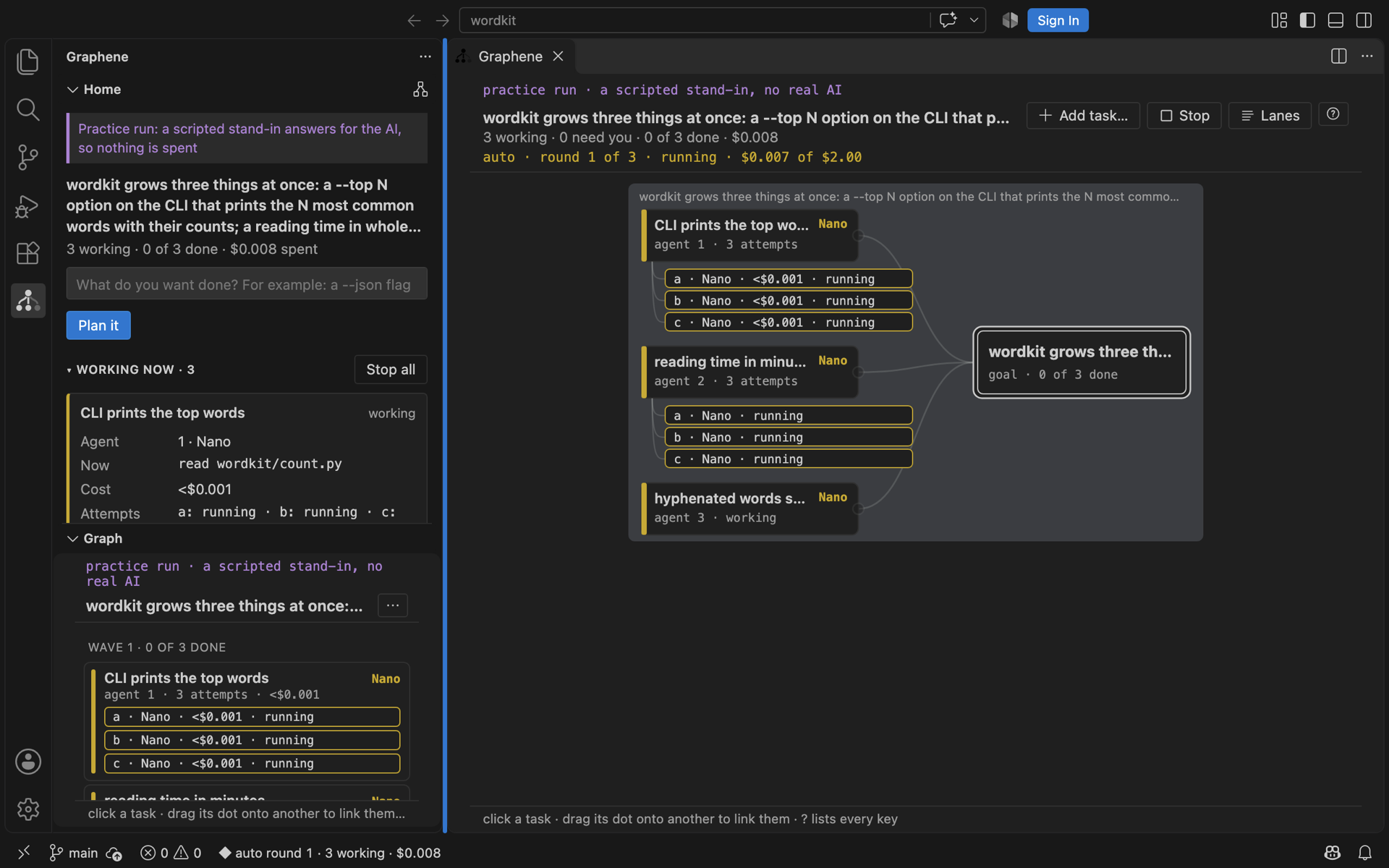
VS Code running Graphene against a scripted model stand-in. No live model calls.
Running more agents creates more coordination work: overlapping edits, hidden dependencies, and changes that look finished until you run the tests. Graphene makes that work visible and gives it rules.
- Keep parallel work separate. Each task owns its files and worktree. Tasks with dependencies wait.
- Define “done” before work starts. Each task has a check that Graphene runs itself in a clean copy. Optional forks race the same task; a fixed rule chooses among passing results.
- Stay in control. Review the plan, adjust scope, link tasks, send an agent a note, or stop a run. Each landed task is a merge commit you can revert.
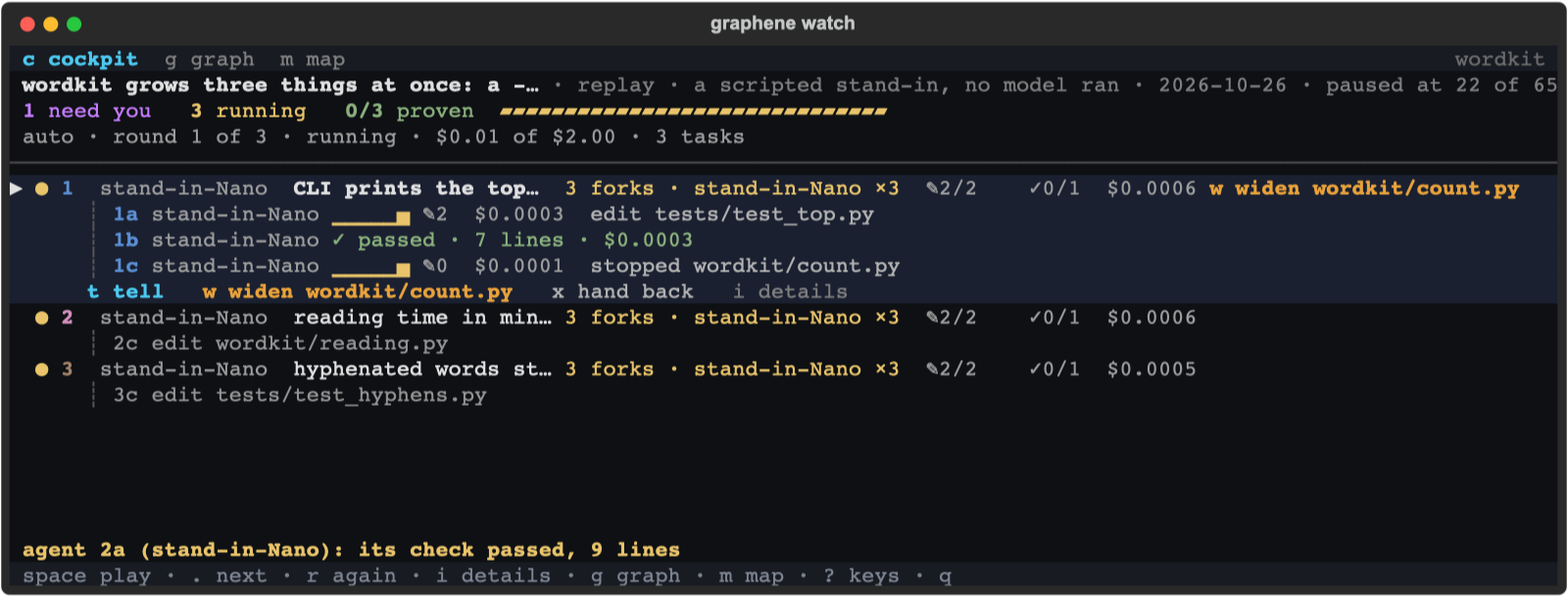
The CLI cockpit tracks tasks, attempts, stopped writes, and cost. Scripted demo.
Try the scripted replay first. It needs no API key and writes nothing to your project:
uvx graphene-map demo --autoRequires uv and Git on macOS or Linux (Windows via WSL). Graphene requires Python 3.12+.
To use it on your own repository, have Claude Code or Codex installed and signed in, then run these commands in your terminal:
uv tool install graphene-map
cd your-repo
graphene init
graphene ask "add a --top N option to the CLI, with tests"
graphene watch
init asks which planner and executor to use. In the cockpit, press A to accept the plan, then R to run
ready tasks; it asks first when more than one task could start. Press g for the graph, i for task details,
and ? for all keys. Stop a run with graphene run --stop from another terminal.
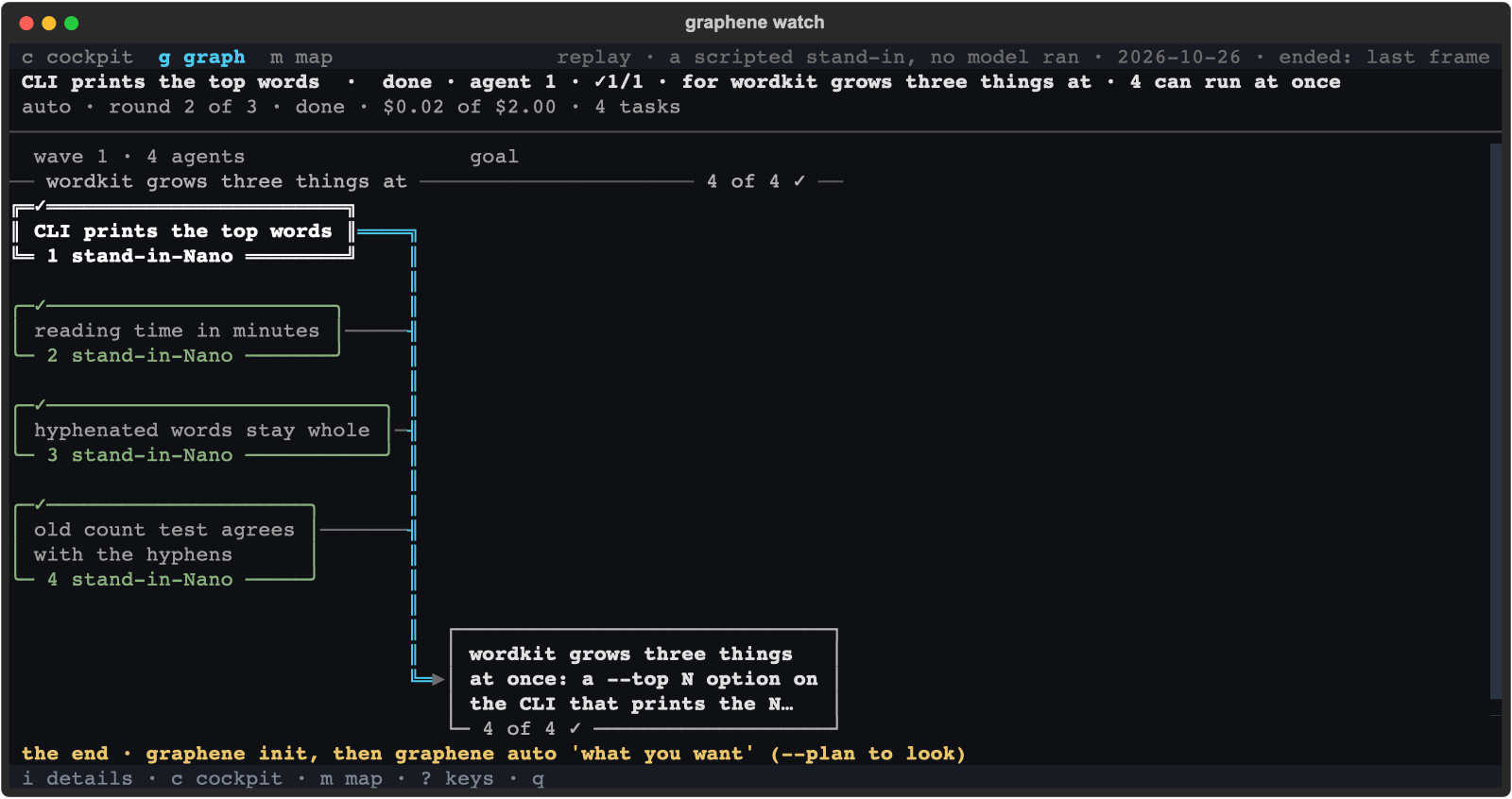
Press g to switch to the task graph. The same scripted demo, after completion.
With Claude Code, init also installs project hooks: your next request proposes a plan before writing.
graphene plan first off lets quick changes through. Remove the hooks with graphene init --remove;
uninstall with uv tool uninstall graphene-map.
Let Nemotron plan and run the whole goal
Install the optional extra and set your Nebius Token Factory key:
uv tool install --force 'graphene-map[nemotron]'
graphene key set
graphene init --planner nemotron --executor nemotron
graphene auto "add a --top N option to the CLI, with tests" \
  --budget 2 --forks 3 --check "python3 -m pytest -q"
Ultra plans, Nano agents race each task, and Graphene checks the merged result. If the goal's check fails,
it plans a fix within your task, round, and budget settings. Add --plan to inspect the plan without running it.
Budget checks happen between rounds, so the dollar limit is not a hard spending cap.
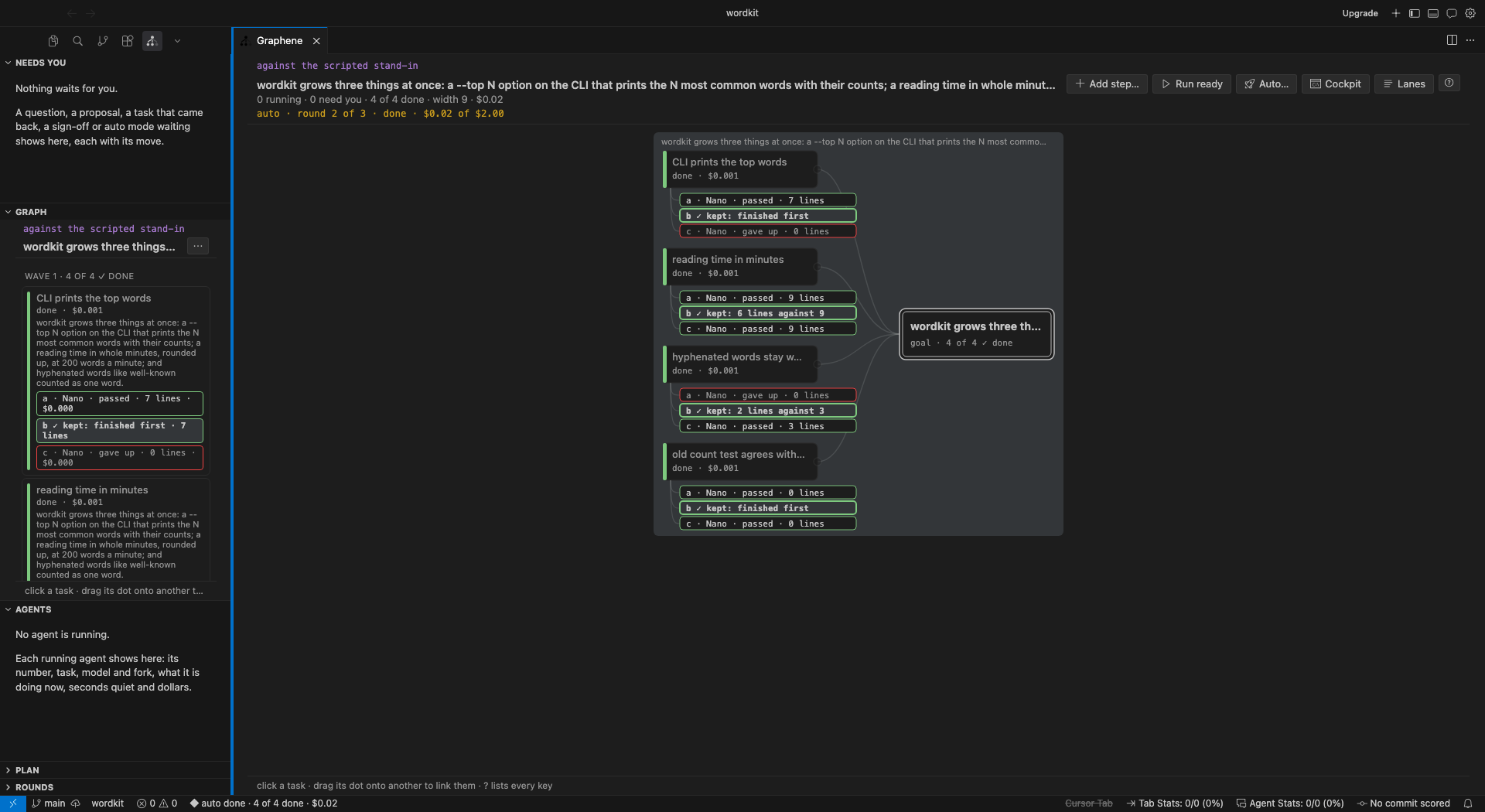
Cursor showing a completed auto run against the scripted stand-in.
The screenshots and Home workflow show current main, ahead of the
0.8.0 packaged release. To use the current CLI and
editor, build from source with Node 22+:
git clone https://github.com/Alex-lop/Graphene.git
cd Graphene
uv tool install --force .
npm --prefix editors/vscode ci
npm --prefix editors/vscode run package
code --install-extension editors/vscode/graphene-0.9.0.vsix
# Cursor:
cursor --install-extension editors/vscode/graphene-0.9.0.vsix
Click Graphene in the activity bar to open Home. Pick your planner and executor, type a goal, click Plan it, review the suggested tasks, then Start. Keep approval enabled to review each finished task with Open changes, then Approve or Send back with a note.
Graphene: Show Graph opens the plan in a tab. Click a task to edit its files, check, attempts, or approval;
drag its dot onto another task to add a dependency. Graphene: Watch the Demo needs no key. The Explorer
marks which task owns each file; graphene.advanced enables the extra task and round views.
Current main also installs Codex hooks: run graphene init in your project, start a new Codex session,
trust the project, and review its hooks with /hooks.
The editor and graphene watch read the same local plan, including when Codex executes the tasks.
See the extension guide for Cursor
installation, commands, and settings.
Graphene is early. Trusted, loaded hooks and the built-in executor block supported writes outside scope;
Codex's hooks require current main. Unloaded or failed hooks can let writes through; Git checks tracked
changes again before merging. This is file coordination, not a security sandbox. Checks are only as strong
as your tests;
set review: every in graphene config edit to require your sign-off before changes land.
Plans and session records stay in .graphene/. Your chosen agent or model provider still receives the
context it needs. The bundled auto demo uses a scripted stand-in; live auto mode has not yet been validated.
Enforcement limits
· Privacy.
How it works · A real run · Comparisons · Changelog · Contributing · Feedback